

Your child's name never leaves the device
Word Safari is built so the only thing that ever reaches our servers is what a parent types to make an account. Everything about your child stays local.
A parent creates the account with an email and password; a kid profile is just a nickname, used only on that device.
What's actually collected, and what isn't
Signing up for Word Safari is a parent's job: an email address and a password create the account. That's the one piece of identifying information the account itself needs.
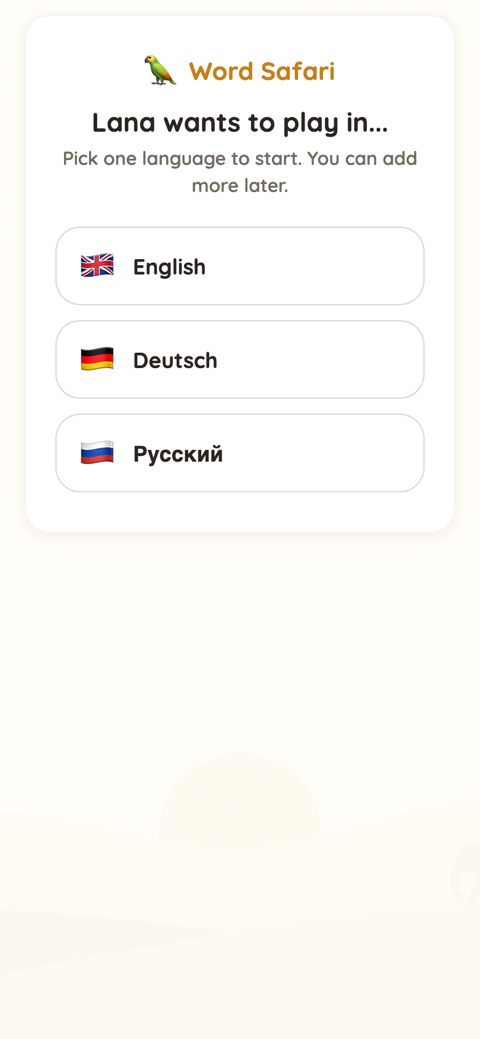
A kid profile sits underneath that account, and it's deliberately thin: a nickname your child (or you) types in, used to track that child's own placement and levels as they play. That nickname is used on the device, for the device, and it never leaves it.
We're not going to put a compliance badge on this page that isn't real. What we can tell you plainly is how it behaves: a kid profile is a nickname typed on the device, never sent anywhere, and there's no separate login for a child to create, remember, or lose.
Real content, without real data collection
A rich, personalised experience doesn't require sending anything about your child anywhere. All of this runs off a nickname and on-device progress alone.
Hand-curated across 7 phonics tiers, tracked per kid, on the device.
Up to six children on one account, each with their own level and progress.
Single letters to digraphs and trigraphs, in a proven phonics order.
Seven reading games and three spelling modes, no extra sign-up required.
Parent account, kid profile: the whole structure
The account structure is simple on purpose: one parent, one email and password, as many kid profiles underneath it as your family needs.
Each kid profile tracks its own placement and levels separately, per language, so a sibling playing English at one pace and German at a starter-pack pace never gets mixed up with another child's progress. There's no separate credential for a child to manage or lose, because there isn't a second login at all: the parent's account is the only one.
That structure is also why there's nothing extra to leak: a second child added to the same family account is just another nickname and another set of on-device levels, not another email address or another password. A birth year can be added too, and is used only to help pick a sensible starting tier for that child.
This is also where the no-ads promise and the privacy promise meet. Word Safari has no ads, ever, and no third-party trackers, exactly the statement the homepage's own trust strip makes.
See it for yourself, nickname only
Play free now, no card needed. Setting up a kid profile takes a nickname, nothing else.
Prefer to test it first? Try a round right here on the homepage.
One of three promises worth checking yourself
A child's name staying on the device isn't a stand-alone claim, it's part of the same stance behind Word Safari's other two promises: nothing to serve as an ad, and nothing that has to reach a server just to keep playing. Each one is written plainly enough to verify for yourself.
Frequently asked
What information is collected about my child?
A kid profile is a nickname typed on the device, used to track that child's own placement and levels there, and it never leaves the device. The account identifier is the parent's own email address, not anything about the child.
Are there third-party trackers?
No. Word Safari has no ads, ever, and no third-party trackers, the same statement made on the homepage's own trust strip.